
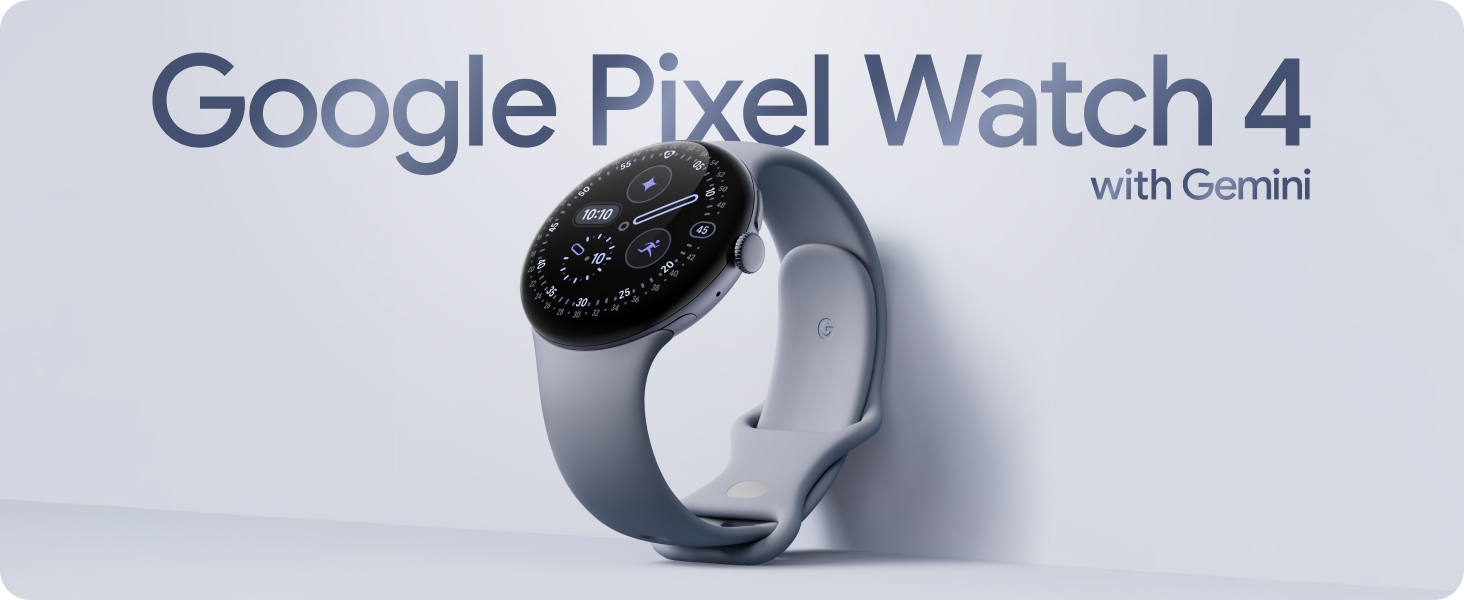
There’s a moment when you try the new Google Pixel Watch 4 that you realize something has shifted. Not in the smartwatch market — though Google has pulled ahead — but in the way you think. That tiny device on your wrist becomes not just a watch, not just a fitness tracker, but a frictionless gateway to a superintelligent assistant.
In short: Google just turned your wrist into a supercomputer — and it’s kind of life-changing.
The First Watch That Responds to Your Thoughts (Almost)
We’ve had smartwatches for years, but nothing feels quite like the Pixel Watch 4’s new “Raise to Talk” gesture. Lift your wrist — the same natural motion you use to check the time — and Google’s Gemini AI instantly begins listening.
This isn’t Siri pulling up a link you don’t want. This isn’t a tiny search engine. This is conversational, context-aware, hyper-fast intelligence that answers even your most random thoughts.
One reviewer described scrolling through their Gemini history and realizing it was no longer filled with simple queries like timezones and weather. It was filled with stray thoughts — tiny questions you’d never bother to unlock your phone for:
“Is it better to cut sandwiches diagonally or square?”
“What are the lyrics to the Superman song?”
“Who stars in that new Netflix show about the undercover—never mind.”
Gemini answered all of it — sometimes even reading full song lyrics aloud — and did it faster and more naturally than anything Apple currently offers.
This is the first time a watch has made offloading your thinking this easy. It’s exciting, slightly addictive, and yes, a little scary how quickly you adapt to having AI on your wrist.
A Brighter, Bigger, Better Screen
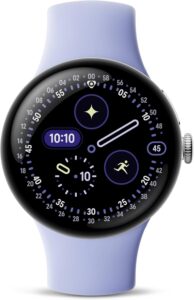
The Pixel Watch 4 introduces Google’s new Actua 360 domed display, which is:
10% larger
50% brighter
Protected by scratch-resistant Corning Gorilla Glass
The screen is stunning — vibrant outdoors, crisp indoors, and incredibly smooth to interact with. It’s one of the most beautiful watch displays on any device at this price range.
Battery Life: The Pixel Watch Finally Grows Up
Smartwatch battery life has long been Google’s Achilles’ heel. Not anymore.
Reviewers tested the larger 45mm version and consistently reached 2.5 days of battery life, despite heavier AI usage and a brighter, larger display. That’s a massive improvement over previous models.
The 41mm model delivers:
Up to 30 hours of regular battery life
Up to 48 hours in Battery Saver
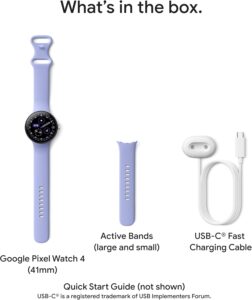
Charging that’s legitimately impressive: 15 hours of battery in 15 minutes on the new upright charging dock
Finally — a Google watch that doesn’t need a daily recharge.
Next-Level Fitness and Health Tracking
Google continues to integrate Fitbit’s health powerhouse tech, giving you:
40+ exercise modes
Real-time workout stats
High-precision dual-frequency GPS
More accurate heart rate monitoring
Advanced sleep tracking
Metrics like SpO₂, HRV, breathing rate, and more
But the standout is Google’s new Loss of Pulse Detection, which can automatically contact emergency services. If you’re hiking or traveling in remote areas, the Pixel Watch 4 can reach emergency services through geostationary satellites — a genuinely life-saving upgrade.
This is one of the most comprehensive health-and-safety toolkits ever offered on an Android watch.
AI Messaging That Actually Helps
The Pixel Watch 4 brings AI-powered texting, meaning Gemini suggests hyper-relevant replies in real time — the kind that make texting from your wrist actually convenient, not frustrating.
Combined with Google apps like Maps, Messages, Wallet, and the Pixel Camera shutter control, the watch becomes a natural extension of your entire Android ecosystem.
Built to Go Everywhere
The Pixel Watch 4 features:
Lightweight aerospace-grade aluminum housing
Water resistance up to 50 meters
Customizable bands
Compatibility with most modern Android phones
The ability to control Nest devices, view doorbell feeds, and manage your smart home
The build quality finally matches the premium feel Android users have long wanted.
It’s Not Perfect — But It’s Very Close
No product is flawless, and the Pixel Watch 4 has quirks:
“Raise to Talk” sometimes doesn’t trigger, or triggers but doesn’t respond
Gemini can be sluggish to activate if you use the button instead of gestures
Call audio can sound distorted to people on the other end
You still can’t reorganize app icons (why, Google?)
But these issues feel small compared to the leap in functionality and intelligence.
Why This Watch Changes the Game
Apple Watch users may scoff — until they hear this: Apple is reportedly in talks to integrate Google’s Gemini AI into Siri. The gap is becoming impossible to ignore.
For now, Google is at least a full generation ahead in real on-device AI assistance. The Pixel Watch 4 isn’t just a smartwatch — it’s the first mainstream wearable that truly merges AI, health, safety, and convenience in a seamless, almost intuitive way.
Final Verdict: Should You Buy It?
If you’re an Android user, the answer is easy: Yes. 100% yes.
The Google Pixel Watch 4 delivers:
A brilliant display
Game-changing AI with Gemini
Legitimately improved battery life
Elite fitness and health tracking
Meaningful safety features
A polished, premium build
It’s the first Pixel Watch that feels complete — not experimental, not “almost great.” Simply great.
Check the Price at Amazon
If you want a smartwatch that elevates your productivity, your health tracking, your safety, and even your random middle-of-the-day curiosities, the Pixel Watch 4 is the most futuristic wearable you can buy in 2025.
And yes — it might just change how you think. Literally.
Disclosure:
We have affiliate partnerships. These do not influence editorial content, though High Quality Life Style may earn commissions for products purchased via affiliate links. For more information, see here.